A family travel blog you post to from Telegram
My parents and I spent three and a half weeks in South Africa this autumn, and the people at home wanted to follow along.
The usual answer is a group chat. Photos pile up, the good ones scroll away, and a week later nobody can find the picture from the lodge. I wanted something calmer: a small private website with one entry per moment, a map of where we’d been, and nothing to install.
The catch was the posting. Nobody on a trip wants to open a laptop at ten at night. And it had to work for all three of us, not just for the one who writes software.
So the blog took posts from a Telegram chat. You send the bot a few lines, some photos or a voice note, it writes the entry and shows you a preview, and one tap puts it online. It was well received at home, and it worked better than I expected.
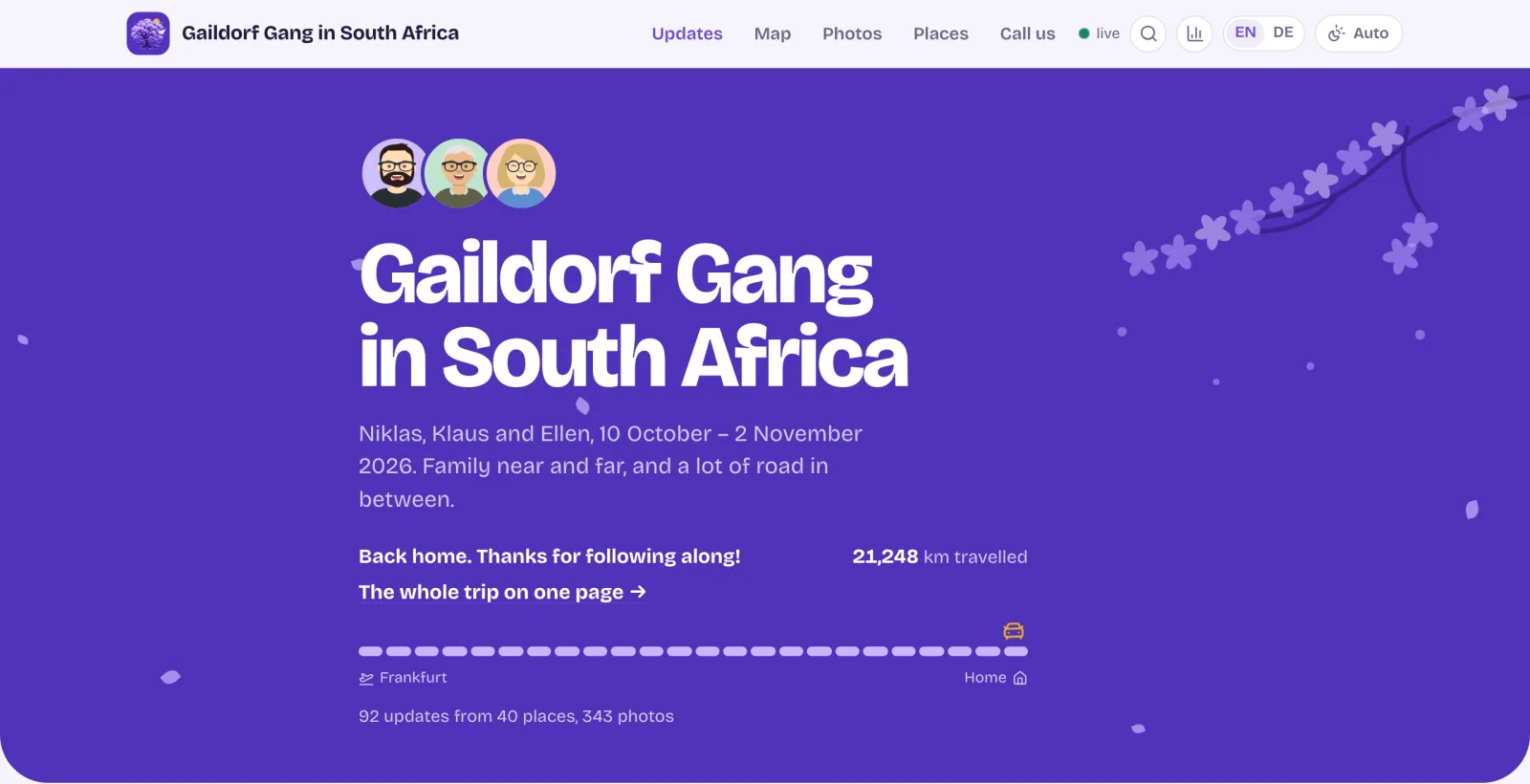
What ended up on the blog.
- Updates
- 92
- With 343 photos from 40 places.
- Posted through Telegram
- 73
- Most of the rest came before the bot existed.
- Authors
- 3
- 59 updates by me, 21 by my father, 12 by my mother.
- Push sign-ups
- 15
- Devices that get a notification for every new post.
What the family saw
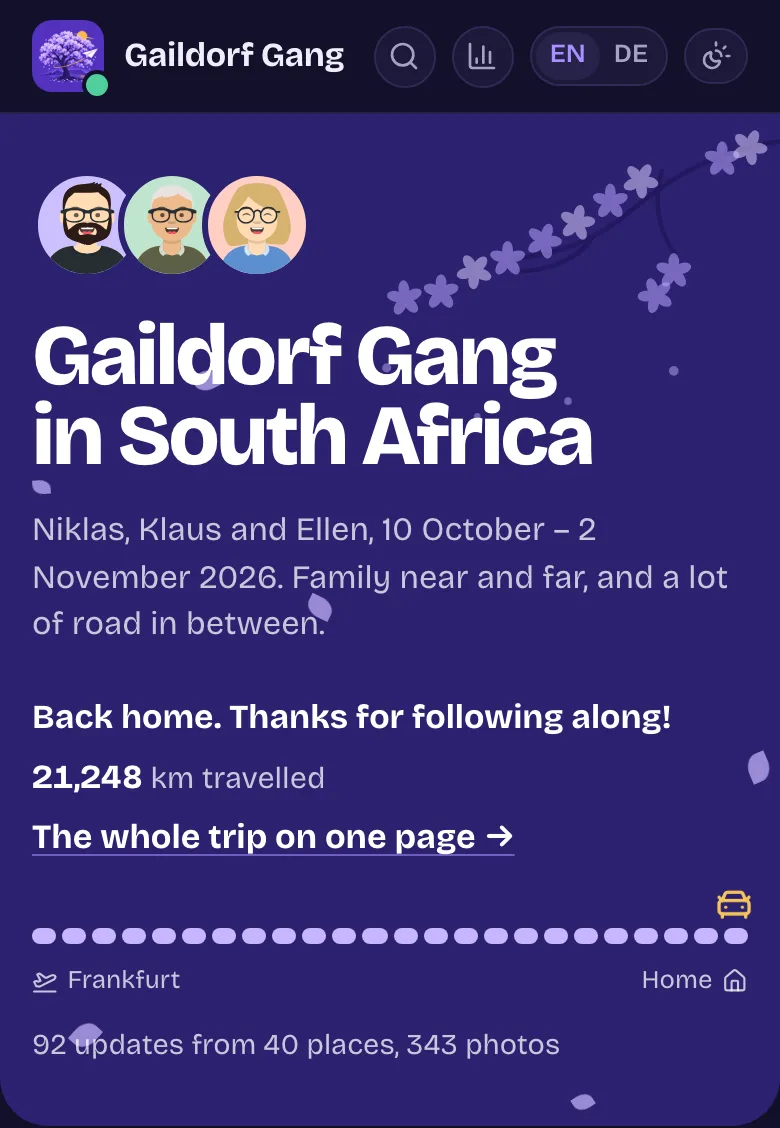
The site is a timeline grouped by day, newest first. Each update can have text, a photo grid, a video or a small map, and it shows who wrote it. A route map draws the trip along the roads, flights as arcs. A “New” badge marks what arrived since your last visit, readers can leave emoji reactions, and every page exists in German too, because not everyone at home reads English.
It sits behind one shared password, and a one-tap link logs you in. The layout is built for phones first: a tab bar at the bottom, a light and a dark mode that follow the phone, and the option to add the blog to the home screen, where it opens like an app.
The header changed over the trip. While we were travelling it showed where we were right now, with the local time and the weather. Now that we’re back, it thanks everyone and links to a recap of the whole trip on one page.
Beyond the header, every page is full of family photos, so the rest of this post shows how the updates got there rather than the updates themselves.
Posting from a Telegram chat
The first updates, from the drive to Frankfurt to landing in Port Elizabeth the next morning, went out through Claude Code on my phone. I described the moment, the agent wrote the post, opened a pull request and merged it. That worked for me, but it meant one session per update, and I was the only one who could do it.
On the second day the Telegram bot went live. Here is what happened after someone sent it a message:
From a chat message to a live post.
- Send
Write to the bot
Text, photos, a video, a voice note or a location, in German or English.
- Draft
A model writes the post
Voice notes are transcribed first. The bot shows a preview with Publish and Discard, or asks a question.
- Publish
A GitHub Action puts it live
Resize photos, commit the post, build the site, deploy it, and reply "It's live" with the link.
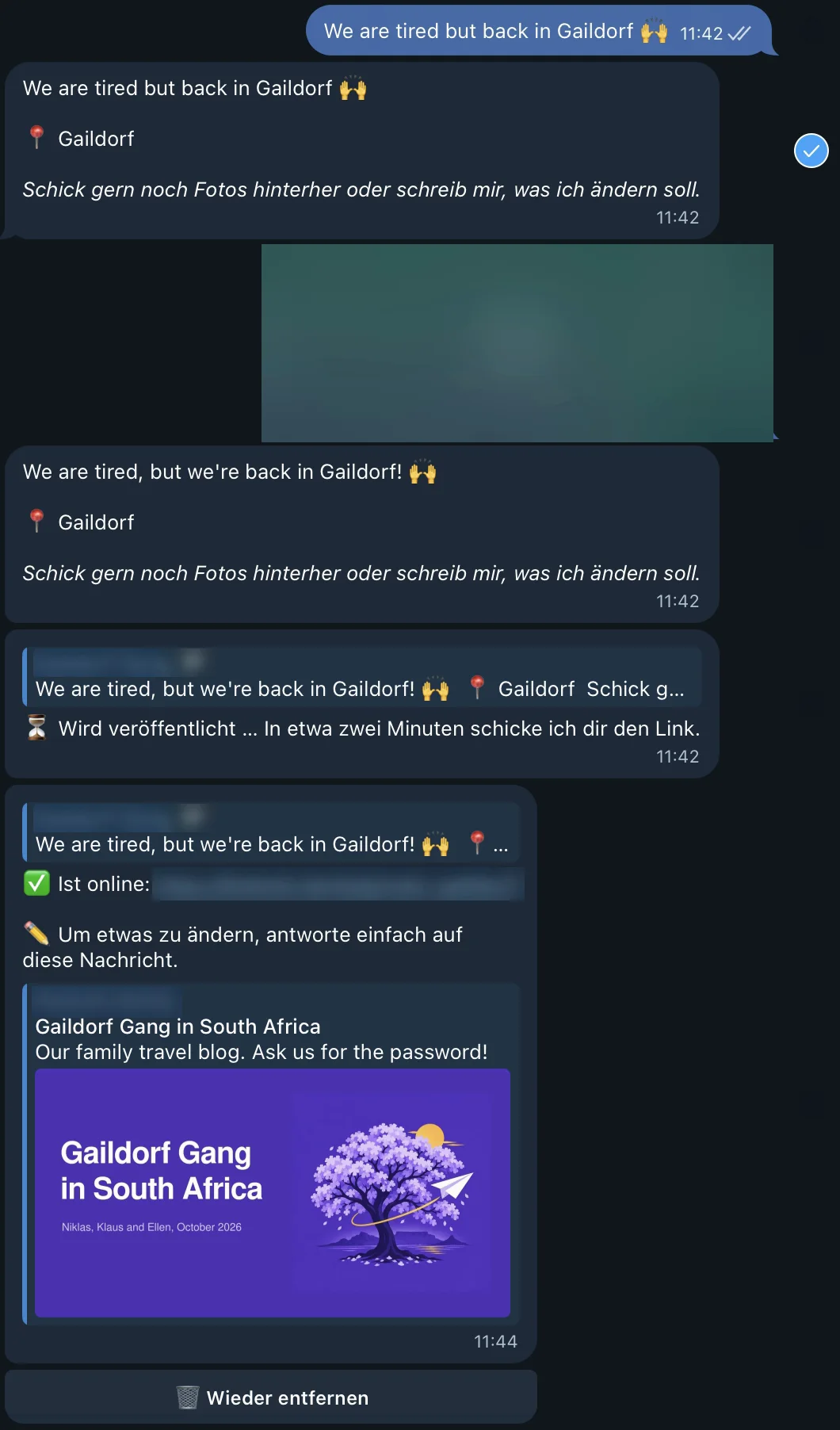
This is the bot’s last post of the trip, the morning we got home:
I sent one line: “We are tired but back in Gaildorf 🙌”. The bot answered with its version of the post, a place, and an invitation to send photos or changes. Then I shared my location, and the preview came back with the place confirmed and the sentence tidied up.
Tapping Publish brought “Wird veröffentlicht” (publishing) and a promise of a link in about two minutes. The link arrived two minutes later with “Ist online” (it’s live), together with a reminder that replying to that message changes the post, and a button to take it down again.
The bot talks to us in German. The posts it writes are in English, and the site translated each one into German as it went live, for the readers who prefer that.
The writing step does more than translate. Messages typed on a phone at the end of a long day arrive tired and out of order: what happened in the evening, then something from the morning, then a correction. The prompt has the model first lay out the facts in the order they happened and then write a short entry from that list, in our words, without adding feelings or details nobody mentioned. The rules for privacy are in the same prompt: places at town level, no addresses, no flight numbers. Telegram strips GPS from photos sent the normal way, so the bot asked where a post was from when it couldn’t tell. A photo sent as a file keeps its GPS. The publish step then used it to name the town and removed it before the photo went online.
Most of the bot’s features came from the trip itself. Replying to the “It’s live” message changes that post. /edit picks any earlier post and takes the change in plain language, like “it was Wednesday at 2 pm”. /add puts more photos into an earlier post, and if they’re someone else’s, the post shows both authors. /undo takes your latest post down.
The rule I cared about most was that nothing fails silently. If a publish run broke, the chat got the reason and two buttons, “Try again” and “Change it”, and the draft stayed. On the third morning a post failed with “Could not name this location”. We had stopped on a road with no town nearby, and the place lookup gave up. The fix, naming road spots after the nearest town, went in that same morning, and the post went out with a retry.
For my parents the whole system was a chat. No account on the site, no editor, and no need to know that there was a Git repository behind it.
What Astro was good at
During the trip the site was built with Astro and hosted on Vercel. Each update was a folder in Git: an MDX file with its frontmatter, plus the photos. That fit Astro well.
Content collections validate every post against a schema, so a broken date or a photo without alt text fails the build instead of producing a broken page. Photos are resized to several widths at build time, and the viewer picks smaller files when a phone is on data saver. The result was static HTML, which is hard to beat for speed. Measured from South Africa, the time to first byte was around 60 milliseconds.
The cost of static is that every change is a rebuild. One new post meant installing dependencies, building about 165 pages and deploying the result. Caching the optimised images helped a lot: that step went from 15 seconds on a cold start to about one second. A publish still took a minute or more, and anything live, like reactions or view counts, needed separate storage and functions next to the static site.
GitHub Actions as the publishing backend
Tapping Publish didn’t build anything on Vercel directly. The bot ran as a Vercel Function, and it sent a repository_dispatch event to GitHub. A workflow then did the real work, using the same npm run post script I used by hand: download the media, write the post, commit it to main, build, deploy, and reply in the chat.
That kept every post in Git, which I liked. It also taught me a few things about GitHub Actions I hadn’t needed before.
A concurrency group can drop work. The obvious way to keep two publish runs from colliding is a concurrency group. By default, a group holds one running and one pending run. When another run arrives while one is running and one is waiting, GitHub cancels the waiting one. So two posts sent while a publish was still running could lose the first of them. The publish workflow has no group. Overlapping runs rebase onto main and retry their push instead.
Commits made with GITHUB_TOKEN don’t start other workflows. The deploy workflow committed German translations before deploying. That push doesn’t start a new run, which is what you want in that spot. It also means the commit has no check results of its own, which surprised me the first time.
Two deploy paths will race. Vercel’s own Git integration was still building pushes to main too. On the third day two of its builds of older commits finished up to 45 minutes late and replaced a deployment that already had two newer posts. They were simply gone from the site.
Two deploy paths, one production site.
Before: the last build to finish wins
- Post 1 GitHub Action goes live
- Post 1 Vercel Git build goes live
- Post 2 GitHub Action goes live
- Post 3 GitHub Action goes live
Vercel also builds Post 1 from Git. That build lands last and replaces the site that already had posts 2 and 3.
After: only GitHub Actions deploy, and only main’s newest commit
- Post 1 GitHub Action goes live
- Post 1 Vercel Git build turned off
- Post 2 GitHub Action goes live
- Post 3 GitHub Action goes live
Vercel’s Git builds are off for main. An Action run that finishes after a newer commit reached main is not promoted.
By then the Action already built the site itself and ran vercel deploy --prebuilt, which returns once the deployment is live, instead of waiting for Vercel to notice the push. The fix added two things. Vercel’s Git builds are off for main, so only GitHub Actions deploy production. And a production deployment is only promoted while its commit is still main’s newest, so a build that finishes late is never put live.
One more Vercel detail from before the fix: on the Hobby plan, its Git builds refused to deploy commits to a private repository from anyone but the account owner. So the bot’s commits carry my name as the author and github-actions[bot] as the committer, and kept doing so.
Over the trip, the bot’s 87 successful runs, 73 new posts and 14 edits, took a median of 79 seconds from the moment GitHub created the workflow run until it finished. The “It’s live” reply came at the very end, just before the push notifications went out. One took 21 minutes, which is a long time to stare at a phone.
Timing the same posts on Cloudflare
Halfway through the trip I started wondering whether the minute was necessary. Most of it went to installing dependencies, building every page and deploying them, all to add one entry.
So I built a prototype on Cloudflare Workers next to the live site. Posts live in a D1 database, photos in R2 storage, and publishing writes one row and clears the cached pages that show it. Nothing rebuilds.
To compare the two on real posts without risking the live one, I added a mirror workflow. It starts with workflow_run after a live publish has finished, sends the posts that changed to the prototype, and logs both times. A failure there never touched the live site. From 22 October on, new posts also went to the prototype, and 25 of them have a time for both paths.
The same posts, two ways to put them online.
GitHub Actions → Astro build → Vercel median 84 s
70 to 124 s
Cloudflare Worker → D1 and R2 median 4.5 s
1.4 to 8.3 s
All 25 pairs
| Post | Vercel | Cloudflare |
|---|---|---|
| 1 | 86 s | 5.4 s |
| 2 | 84 s | 7.0 s |
| 3 | 80 s | 4.5 s |
| 4 | 70 s | 2.4 s |
| 5 | 95 s | 4.3 s |
| 6 | 84 s | 5.8 s |
| 7 | 79 s | 5.9 s |
| 8 | 78 s | 3.9 s |
| 9 | 71 s | 3.3 s |
| 10 | 110 s | 5.1 s |
| 11 | 88 s | 6.5 s |
| 12 | 84 s | 4.1 s |
| 13 | 109 s | 5.8 s |
| 14 | 94 s | 6.6 s |
| 15 | 92 s | 6.0 s |
| 16 | 82 s | 5.4 s |
| 17 | 83 s | 1.4 s |
| 18 | 124 s | 6.9 s |
| 19 | 93 s | 1.9 s |
| 20 | 83 s | 2.1 s |
| 21 | 92 s | 8.3 s |
| 22 | 90 s | 2.0 s |
| 23 | 76 s | 2.8 s |
| 24 | 88 s | 3.6 s |
| 25 | 75 s | 1.5 s |
For those 25 posts, the live path took a median of 84 seconds (the 79 above covers every run of the trip) and the Cloudflare one 4.5 seconds, upload from the GitHub runner included. Per post that’s 11 to 60 times faster, about 20 times for the typical post. The comparison isn’t perfectly even. The mirror got photos the live pipeline had already resized, and it skipped the German translation, so the real gap is smaller. I didn’t measure how much those two steps would add on Cloudflare.
Why the blog now runs on Cloudflare
Since 10 November the blog has run as a Cloudflare Worker. I went with it for more than the timings.
- GitHub is out of the publishing path. The site no longer needs an Actions runner to be available to show a new post.
- One database instead of three stores. On Vercel, reactions and push sign-ups lived in Vercel Blob, view counts in Upstash Redis, posts in Git. Blob on Vercel’s free plan allows 2,000 writes a month, which is why the view counts went to Redis, and reactions needed ETag retries so that two taps at once didn’t overwrite each other. Now it’s all in D1.
- Live updates. A Durable Object holds a small live room, so a new post or a reaction shows up for other readers without a reload. In the prototype a reaction showed up in a second browser 60 to 70 milliseconds later.
- Cost. The $5 Workers Paid plan covers it, and my account already had it.
One Worker, one database, one bucket.
A reader's request goes through a gateway that checks the password, then to a cached site that reads posts from D1 and media from R2. Publishing writes to D1 and R2, purges the affected pages from the site's cache, and tells the live room, which pushes the change to browsers that are open.
View Mermaid source
flowchart LR
  R[Reader] --> G[Gateway: password] --> S[Cached site]
  S --> D[(D1: posts, reactions, views)]
  S --> M[(R2: photos, videos)]
  A[Author] --> P[Publish]
  P --> D
  P --> M
  P --> C[Purge cache tags] --> S
P --> L[Live room] --> B[Open browsers]It isn’t free of trade-offs. Rendering a page from D1 on every request took 320 to 730 milliseconds from South Africa, where we were, against about 60 for the static site. So pages have to come from Cloudflare’s cache, and every publish has to purge the right ones. Cached, the first byte of a page arrived after 60 to 155 milliseconds from South Africa and Germany, against 35 to 65 for the static site.
The framework changed too. With the posts in a database, Astro’s strengths here, static pages, content collections and build-time images, stopped applying, while the parts that make the site feel alive were glue I had to write myself. I rebuilt the prototype with TanStack Start to compare. It took more code and sends about 160 KB of JavaScript on the first visit, which Astro barely needed. In exchange, live posts, reactions, paging and a publish page in the browser come out of the framework instead of out of my glue.
The move itself was careful. All 92 posts, the reactions, the view counts and the 15 push sign-ups came along, and readers who were logged in on the old site stayed logged in. Every post still exists in Git. The Vercel project and its last deployment are still there, the retired workflows are kept under a Git tag named vercel-final, and going back is a documented DNS change.
What’s still missing
The Telegram bot didn’t make the move. The trip was over, so I retired it instead of porting it. For now authors post through a page on the site after signing in with a passkey, and those posts aren’t translated into German automatically.
So I think Cloudflare is the better home for this blog, with one caveat: the new setup hasn’t been through a trip yet. Before the next one, the bot needs to come back as a Cloudflare Workflow, and then I’ll find out whether my parents notice that their posts arrive a minute sooner.