Tools
Quirl
A shell that keeps your Bash habits and adds typed data.
I liked working with data in Nushell a lot. Then I copied a command from my notes, and it didn’t run, because it assumed the usual shell syntax. The same happened with commands from the internet and from AI tools. I kept switching back to another shell just to paste things.
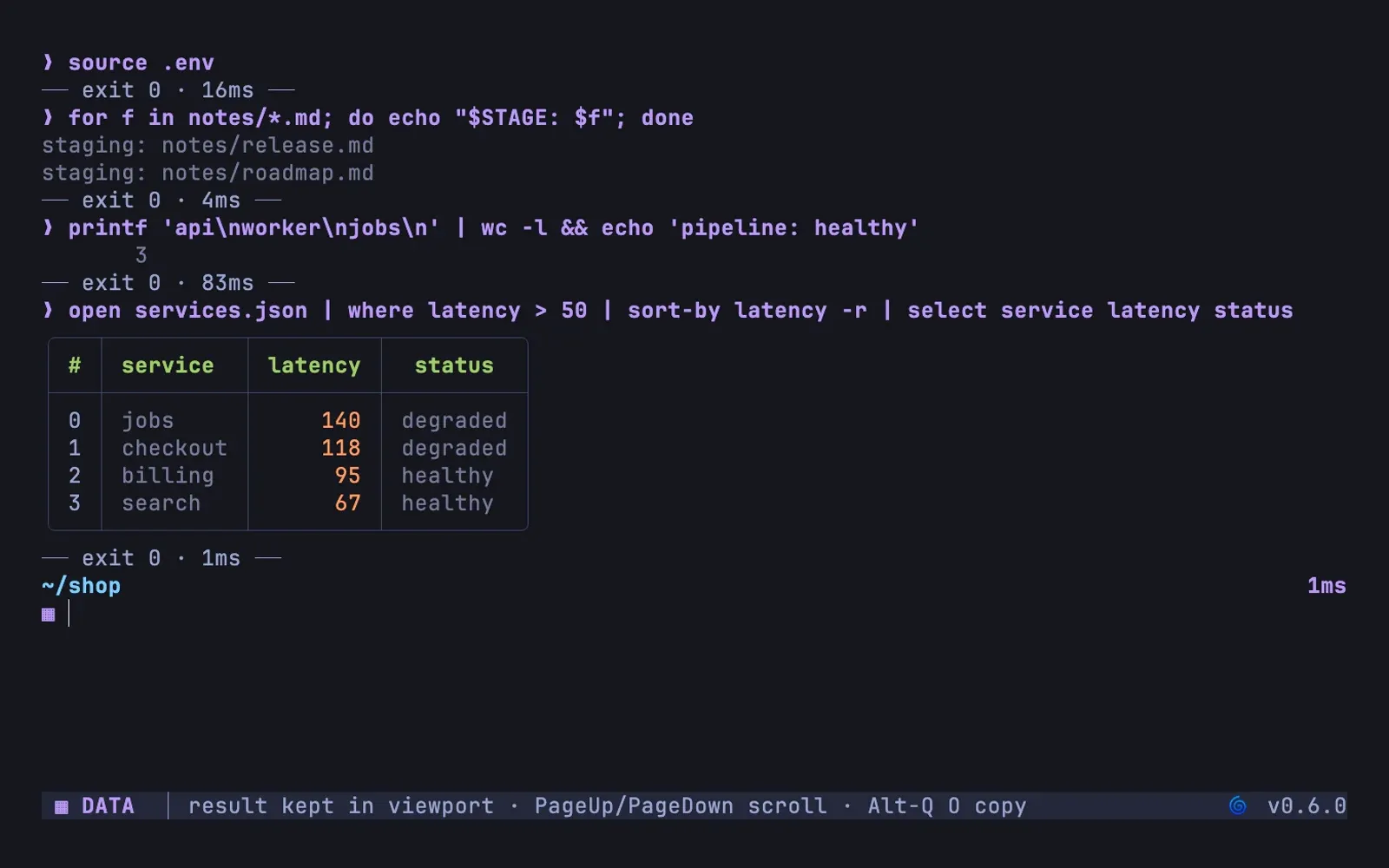
Quirl is my attempt to have both. You start in normal mode, where quoting, pipes, redirects, jobs, loops, functions and aliases behave the way your fingers expect. A pasted for loop runs, and so does source .env. Over SSH and for editors and agents, quirl -c gives exact POSIX sh behaviour, so it is safe as a login shell. Syntax that only one shell understands gets an explicit bash { ... } or zsh { ... } block.
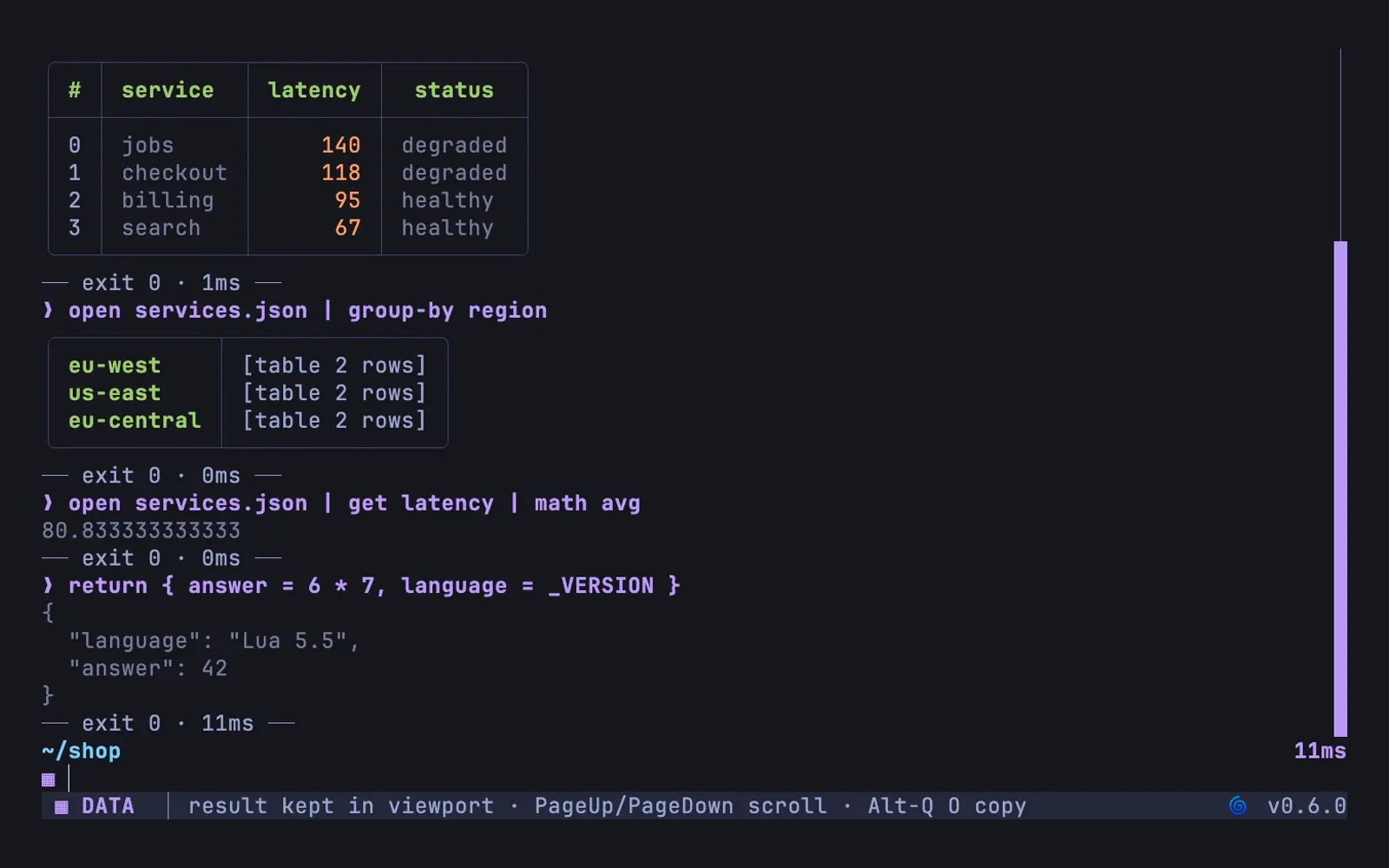
Type mode data and the same session speaks Nushell’s vocabulary: open services.json | where latency > 50 | sort-by latency -r gives you a typed table instead of columns of text to count. group-by, select and math work on JSON, YAML, TOML, CSV and directory listings. mode normal takes you back.
For scripting I wanted a real language instead of a configuration format that grew loops. Quirl embeds Lua with resource limits, and the same runtime drives configuration, prompt segments, completion providers and plugins. Completion asks your installed Zsh and tools like git or kubectl for candidates, and one catalogue of command knowledge feeds completion, the F1 help, the documentation and the language server.
Quirl is German for a wooden whisk. It is young and moves fast, with releases for Linux and macOS through Homebrew, checksummed archives and a Nix flake.
Gallery
Highlights
- Pasted Bash loops run as they are
- Data mode with where, sort-by and group-by
- One sandboxed Lua runtime for extensions