Tools
Latchrun
Scoped credentials for approved commands, resolved once per session.
brew install niklas-heer/tap/latchrun 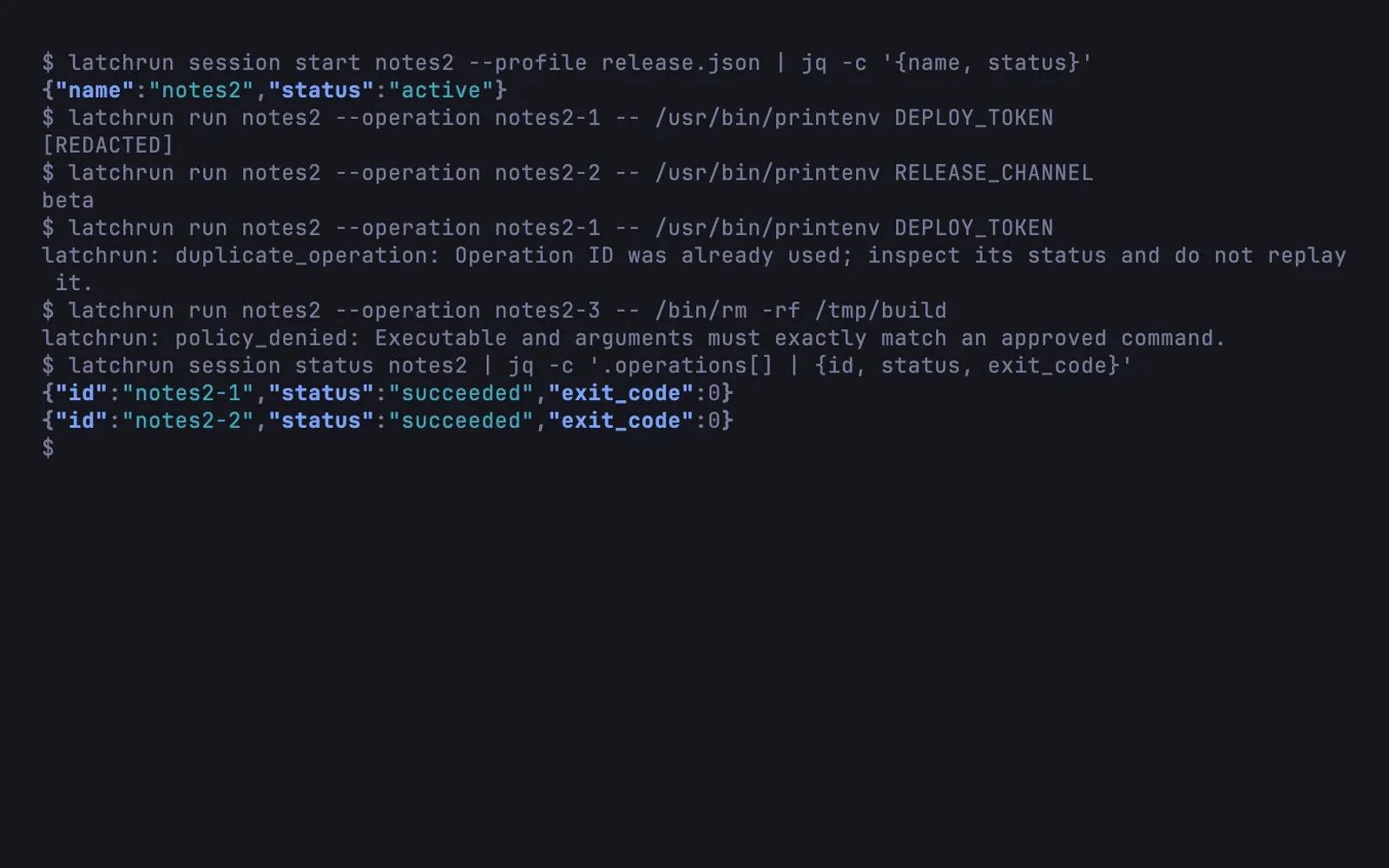
When a coding agent runs a deploy script, the script needs a token. With a password manager that means a prompt for every command, or a long-lived secret lying around in an environment variable. I didn’t want either.
Latchrun sits in between. A profile, a small JSON file, names the credentials a piece of work needs and the exact commands allowed to receive them: the absolute executable and every argument, with no prefix matching and no shell guessing. You start a session from that profile, Latchrun resolves the credentials once from 1Password, pass or a private file, and caches them in memory for as long as you allow. Each latchrun run then gets a minimal environment with only what the profile declares. Anything that isn’t on the list is refused.
The rest is about what happens when things go wrong. Every run carries an operation ID, and an ID can’t be used twice, even after a restart, so a reconnecting agent can’t repeat a deployment by accident. Exact secret values are redacted from the output. Profiles can switch on an OS sandbox that restricts which files a command may write and whether it may use the network.
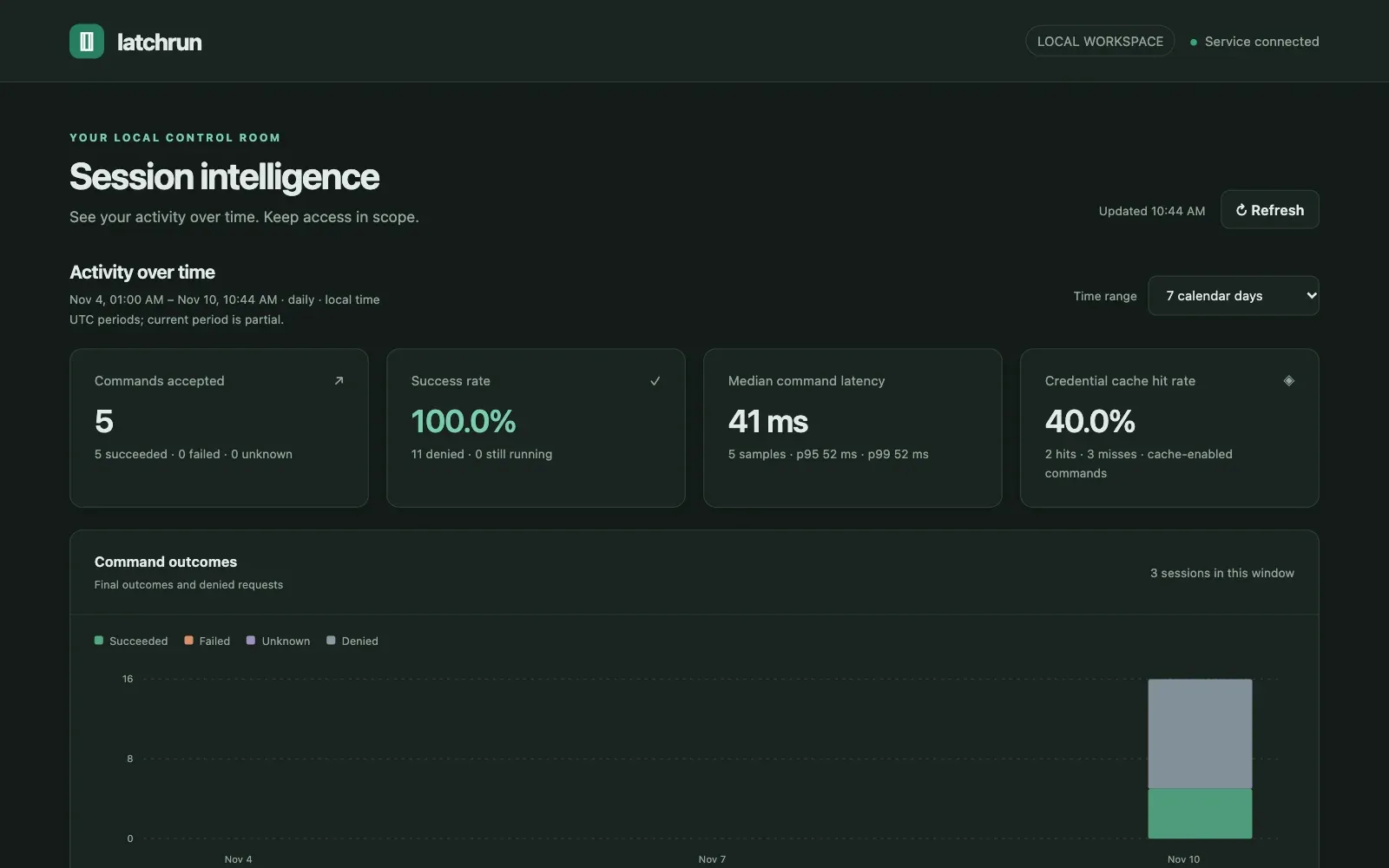
To see what happened, there is the CLI, an adapter for agents that speak MCP, and a local dashboard with sessions, outcomes, latency and how often the cache saved a lookup. The limits are worth saying plainly: a command that receives a credential can still leak it, and Latchrun doesn’t confine everything running as your user.
It runs on macOS and Linux, and Bash, Zsh and Fish are tested as callers. It is early, and the profile format may still change before a stable release.
Gallery
Highlights
- Only exact, approved commands receive secrets
- Operation IDs prevent accidental replays
- Optional OS sandbox for files and network