Tools
repot
Every Git repository on your machine, organised and current.
brew install niklas-heer/tap/repot 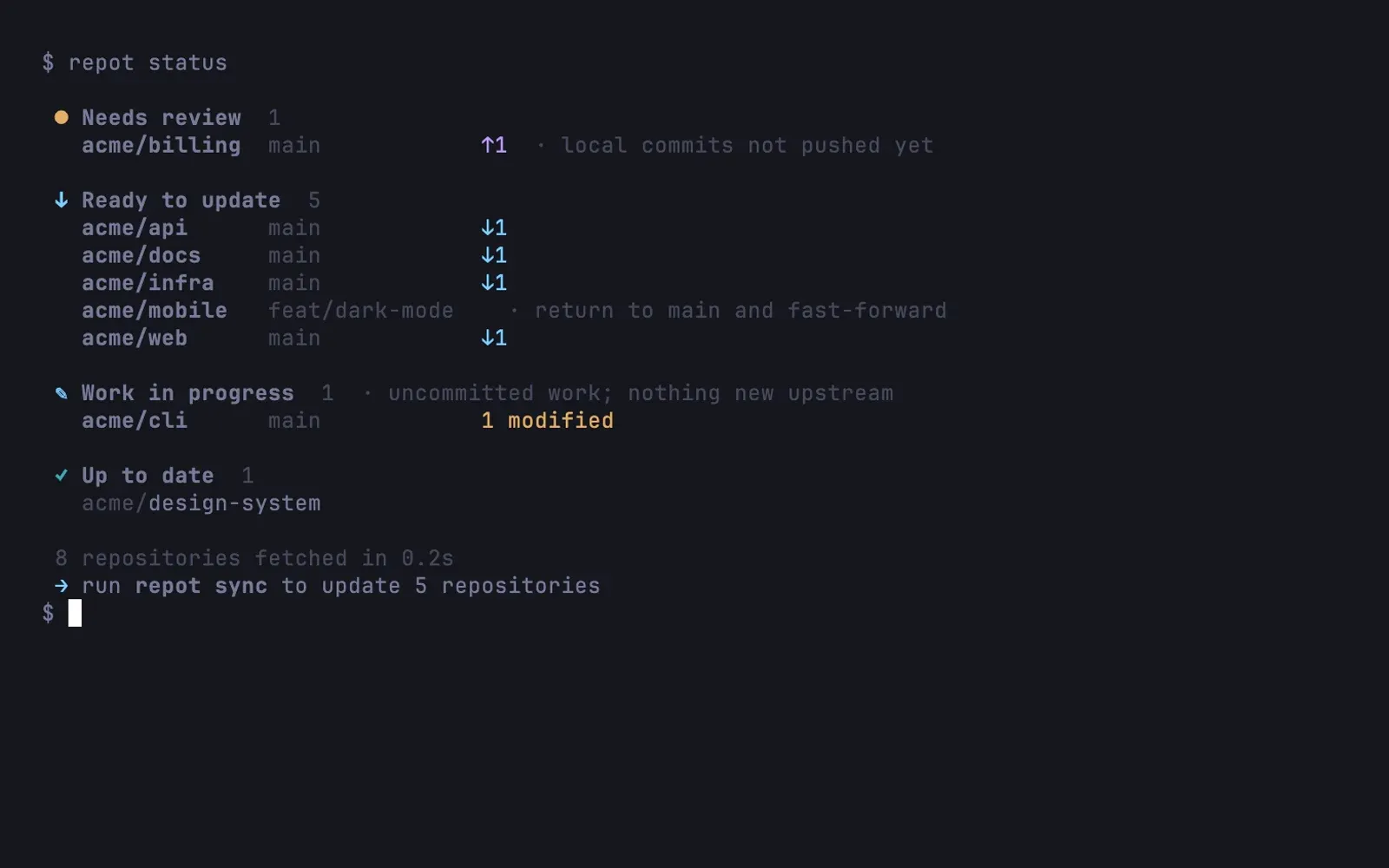
I have dozens of checkouts on my Mac, and several coding agents work in them at the same time. Which ones are behind? Which branch was merged last week? Where did that prototype go? repot is the tool I wrote to answer those questions without visiting each directory.
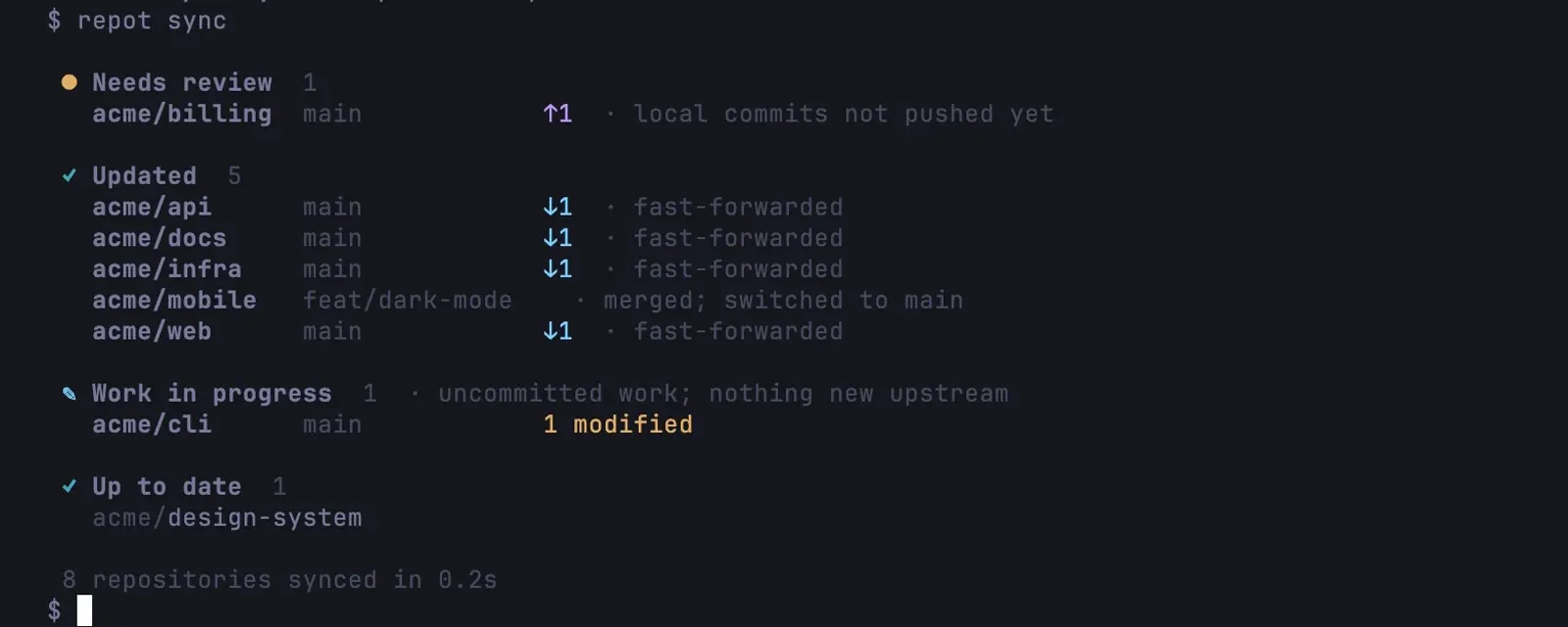
Every repository gets a home at <root>/<host>/<owner>/<repo>, the same layout ghq uses, so an existing ghq tree works as it is. repot status fetches all checkouts in parallel and groups them by what they need: ready to update, needs review, work in progress, up to date. repot sync then fast-forwards the clean ones and returns branches that were merged upstream to main, including squash and rebase merges.
The rule I care most about is that it never risks work. Updates are fast-forward only. Anything dirty or diverged is listed for review instead of touched. repot doesn’t commit, stash, reset, rebase or force-push, removing a checkout archives it, and every command that changes something has --dry-run.
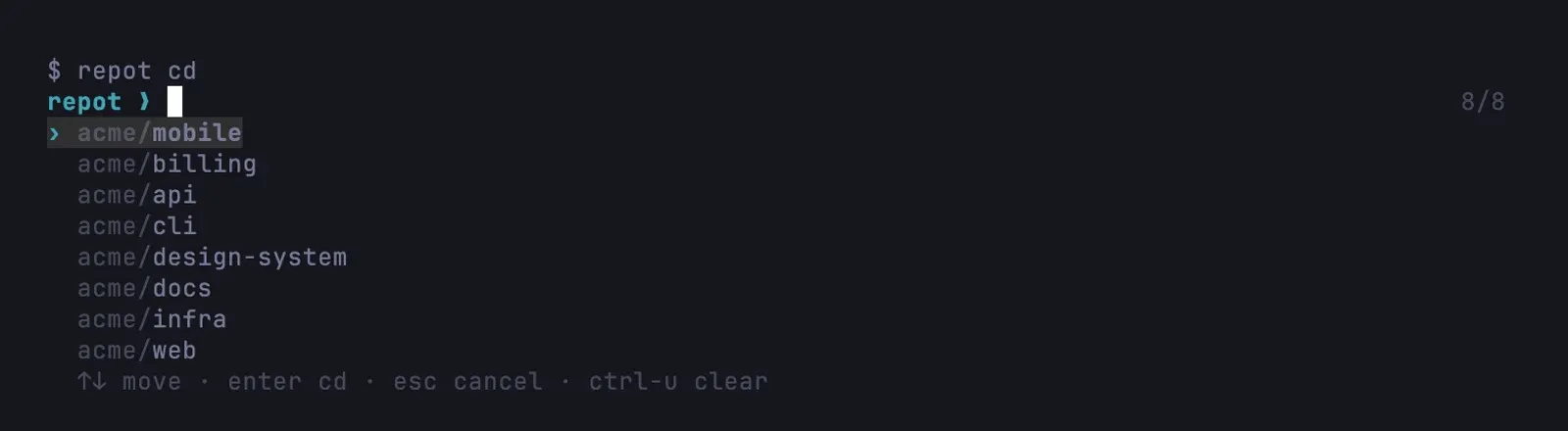
The everyday part is repot cd: a fuzzy picker that opens under the prompt instead of taking over the screen, ranks repositories by how often and how recently I went there, and previews the branch and recent commits on wide terminals. repot new starts a scratch project locally, and repot publish later creates the GitHub or GitLab remote and moves it into the tree. A manifest in TOML, KDL or YAML brings the same set of projects to the next machine.
repot runs on Linux and macOS, with shell integration for Bash, Zsh, Fish and Nushell. Since September 2026 it handles cloning and navigation in my own setup, with ghq still installed next to it.
Gallery
Highlights
- Updates only by fast-forward
- Status for every checkout in one view
- Works with an existing ghq tree